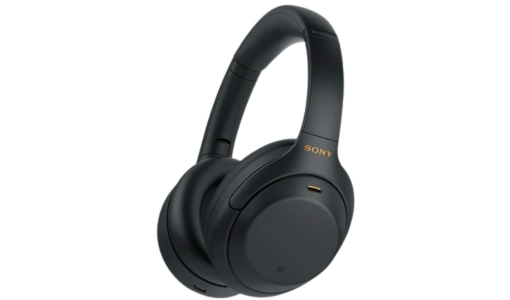
Sony headphones cover a wide range of listening styles, from compact sony in ear headphones to more immersive sony headphones over ear designs that suit work, travel and home use. Many sony headphones wireless models feature Bluetooth connectivity, long battery life and integrated controls for calls and playback, while sony wired headphones offer a simple plug-and-play option that does not rely on charging. Selected sony noise cancelling headphones reduce background sounds in busy environments, supporting better focus on music, podcasts or meetings on the move.
Users often look for guidance on how to pair sony bluetooth headphones, how to connect sony headphones bluetooth and how to connect sony headphones to laptop, with most models entering pairing mode via a dedicated button or power-on combination before being selected in the device’s Bluetooth menu.
Key listening benefits
Comfort and fit choices
Sony in ear headphones provide discreet listening for commuting or exercise, while sony headphones over ear models typically include padded headbands and cushioned earcups for extended comfort.
Wireless freedom
Sony headphones wireless lines remove cables between devices and headphones, allowing users to move more freely around the home, office or gym while maintaining a stable connection for audio and calls.
Noise reduction options
Sony noise cancelling headphones use microphones and processing to counter external noise such as engine hum or office chatter, which can improve clarity at lower listening volumes and enhance overall audio experience.
Straightforward connectivity
Learning how to pair sony bluetooth headphones and how to connect sony headphones to laptop is generally simple: after entering pairing mode, the headphones appear in the Bluetooth device list for selection and, once paired, usually reconnect automatically.
Choosing and using Sony headphones
When choosing sony headphones, users may want to consider where they will listen most often, as sony in ear headphones can be more convenient for exercise, while sony headphones over ear may be preferable for home or office use. Those who value quiet for flights or open-plan workspaces might prioritise sony noise cancelling headphones, paying attention to battery life and comfort. For sony headphones wireless models, checking compatibility with phones, laptops and other devices helps ensure smooth operation, and following instructions on how to connect sony headphones bluetooth supports a trouble-free setup.
Why Sony headphones suit Irish listeners
Sony headphones provide options that fit daily routines in Ireland, whether listening on commutes, working from home or relaxing with films and games. The mix of sony in ear headphones, sony headphones over ear, sony headphones wireless and sony wired headphones caters to varying preferences for portability, sound isolation and convenience. With strong presence in local retail and support channels, users can more easily find models and advice on how to pair sony bluetooth headphones or how to connect sony headphones to laptop when needed.
Frequently Asked Questions
How to pair sony bluetooth headphones with a smartphone?
To pair sony bluetooth headphones, users typically activate pairing mode using a button or button combination on the headphones, then select the headphones from the phone’s Bluetooth device list and confirm the connection when prompted.
Are sony noise cancelling headphones suitable for office use?
Sony noise cancelling headphones are well suited to offices because they reduce ambient sounds such as conversations and air conditioning noise, helping users focus without needing to raise volume excessively.
When might sony wired headphones be preferable to wireless models?
Sony wired headphones can be preferable for situations where latency must be kept very low, or where users want to avoid managing battery charging, as they work as long as the connected device has a compatible audio output.
How to connect sony headphones to laptop for video calls?
Connecting sony headphones to laptop generally involves pairing via Bluetooth or plugging in a wired connector, then selecting the headphones as both playback and microphone devices in the laptop’s sound settings or conferencing app.
Do sony headphones wireless models work with multiple devices?
Many sony headphones wireless models can be paired with more than one device, although they usually play audio from one at a time; some support multi-point connections that allow switching between, for example, a phone and a laptop more seamlessly.